Keyword Research
Do keyword research in MetaMonster's Keyword Explorer. Generate keywords in bulk or with AI per page, weigh Search Console and DataForSEO data, set primary and secondary keywords, and double-check your priority pages.
Keyword research happens in the Keyword Explorer. You can open it from most pages in the product: content, titles, descriptions, even the sandbox. To see all of your keywords for every page in one place, go to Keywords.
Generating keywords
The card at the top of the Keywords page generates keywords in bulk. Pick a target (all pages, pages without keywords, or priority pages), check the credit cost, and click Start generating keywords. The card shows which model will run and lets you edit the prompt, so you can give the agent specific requirements, like staying local or avoiding branded terms.
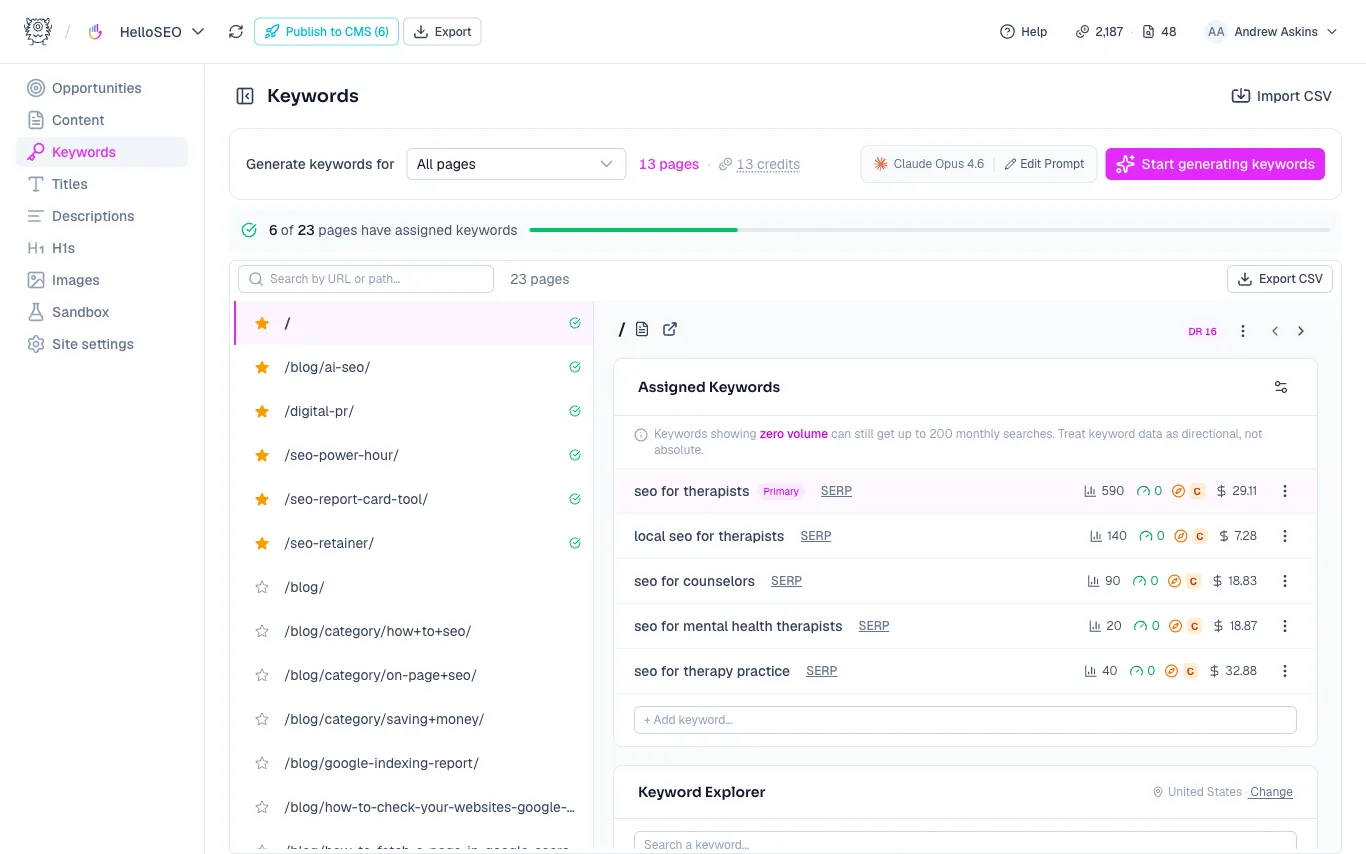
You can also work one page at a time. When a page has no keywords yet, open the Assigned Keywords tab and click Assign with AI. This is almost always the best way to start. Below that, the rest of the Keyword Explorer gives you:
- AI suggestions - review suggested keywords before assigning them
- Search Console data
- Manual exploration - search and add keywords yourself
You can also add a keyword manually right inside the Assigned Keywords tab.
How the AI picks keywords
The agent reads the page content and your site’s business context, drafts candidate keywords, and vets them against quality checks before assigning anything. Weak or off-topic candidates get thrown out rather than assigned. It aims for around five keywords per page and picks the one that best matches the page’s intent and content, balancing opportunity against volume and difficulty, as the primary keyword.
If you want to steer it, edit the keyword prompt from the card at the top of the page. Your instructions apply every time keywords are generated for that site.
Reading the data
The Keyword Explorer pulls data from two sources:
- DataForSEO - monthly search volume, keyword difficulty, search intent (informational vs. commercial), and cost per click. Higher cost per click usually means a more valuable keyword, since more people are bidding on it.
- Google Search Console - clicks, impressions, click-through rate, and average position over the last 28 days.
Treat all of this as directional, not definitive. Every SEO tool approximates this data from Google properties, third-party sources, and its own methods, so use it to guide decisions rather than as absolute truth.
A good example: a keyword might show only 10 monthly searches in DataForSEO, but Search Console shows 93 impressions in the last 28 days at an average position of 4-5. That tells you real people are searching for it, so it may be a strong primary keyword even though the volume estimate looks low.
Search location: keyword data and SERP results are localized. The Keyword Explorer shows the current location (United States by default), and you can change it there or in your site settings to target a specific city or country. If you’re doing local SEO, set this first.
Primary vs. secondary keywords
The distinction mainly matters for how MetaMonster uses your keywords:
- Primary keyword - the single most important keyword for the page. Titles, meta descriptions, and H1s can usually only target one keyword, so the primary tells us what to optimize for.
- Secondary keywords - additional keywords you want to rank for. In the content optimization tool you can work these into your H2s, H3s, and body copy.
Checking a keyword in detail
If you’re unsure about a keyword, click into it to see more. You’ll get the same data as above plus the SERP results, with your current position highlighted alongside everything else ranking.
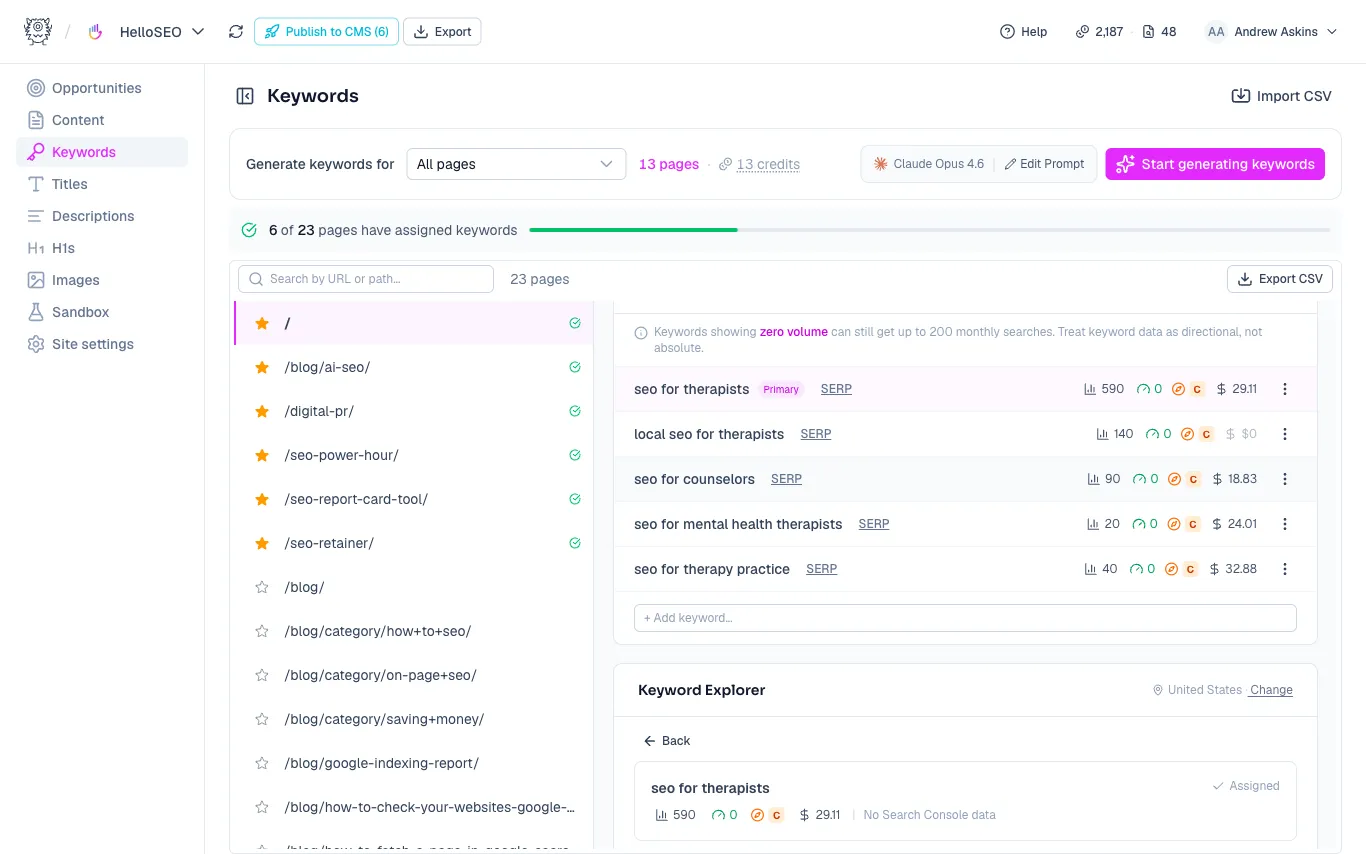
Use this to judge whether a keyword is worth targeting:
- Look at what’s ranking. A mix of relevant YouTube videos, Reddit threads, and Search Engine Land suggests a topical, relevant query.
- Watch for commercial “best of” / “top ten” roundups. You’ll have to decide whether to compete with them directly or get featured in them and optimize your page for something else.
- Compare domain ratings. If the ranking pages have ratings near yours, it’s reasonable to compete, especially with some digital PR or backlink building to boost your own rating.
Sometimes the AI’s picks look great as-is. Other times you may swap the primary, for example choosing a higher-opportunity term like “SEO tool for agencies” (more volume, strong commercial intent, high cost per click) and moving the original down to a secondary keyword.
Priority pages
The pages with stars are your priority pages. Most sites get up to 80% of their search traffic from 20% or less of their pages, so those are the ones to optimize first. MetaMonster guesses your priority pages using Search Console data and pattern recognition, and you can add or remove one anytime by clicking its star.
Always double-check the keywords on your priority pages. Dig into the data and take a second look before settling on the primary keyword.
Where keywords flow
Your keywords flow into everything else you do in MetaMonster. Content optimization, page titles, meta descriptions, and more all stem from them. Getting them right here sets up the rest of your work.
Need more help?
Can't find what you're looking for? Email us at support@metamonster.ai or chat with our team.