CMS Integrations
Publish your MetaMonster optimizations directly to your CMS. Install the WordPress plugin, connect it with an API key, and push titles, meta descriptions, H1s, and image alt text to your live site.
MetaMonster can publish your optimizations - page titles, meta descriptions, H1s, and image alt text - directly to your CMS. WordPress is the current integration, with Shopify and Webflow on our roadmap. On any other platform, you can export your drafts (CSV or Markdown) or publish through the public API.
This guide assumes you’ve already added your site, crawled its pages, generated keywords, and created some draft titles. Once you have drafts ready, you’re ready to publish.
Start publishing
Click the Publish to CMS button at the top of the page. The number on it shows how many drafts are ready to publish - for example, 5 means five drafts are queued.
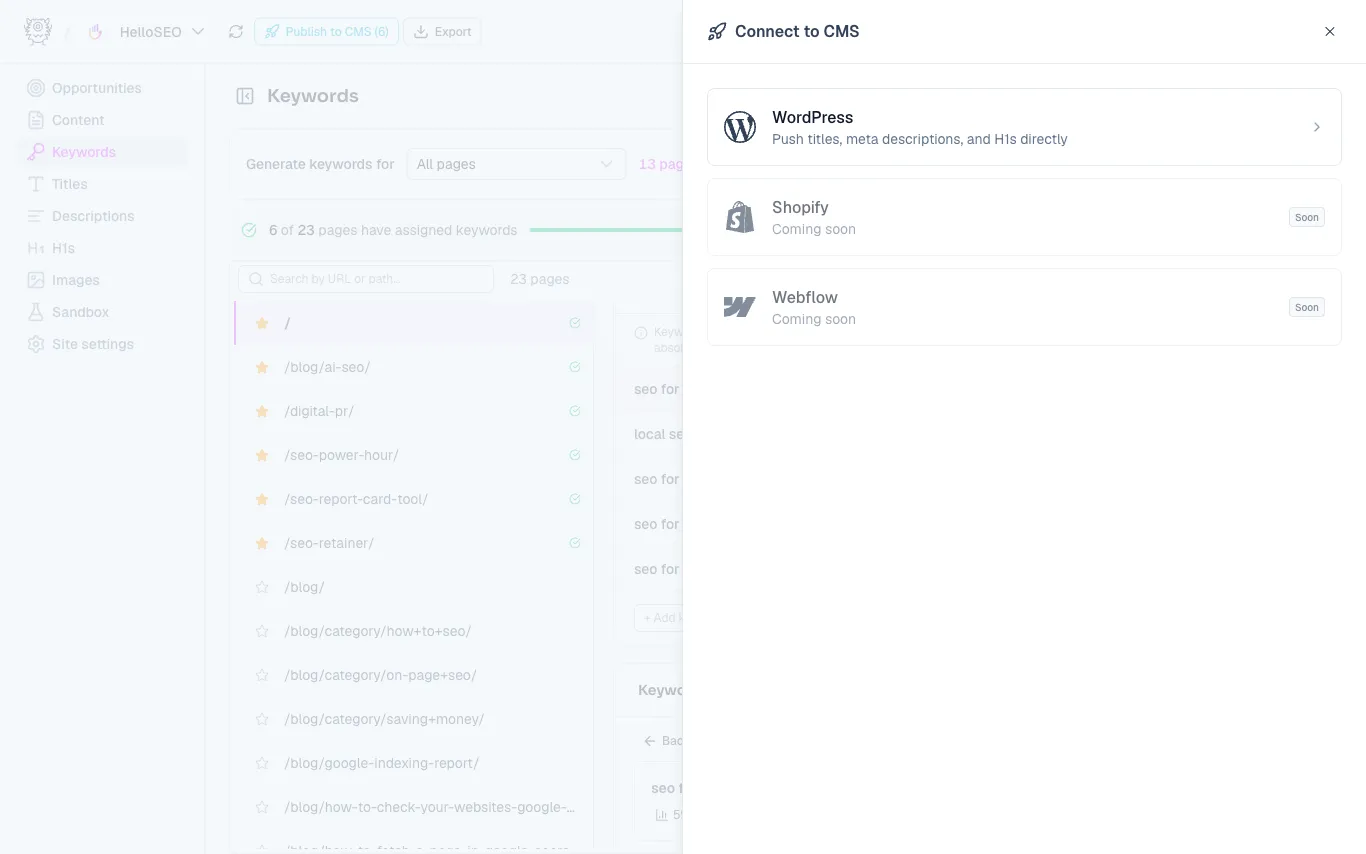
You’ll see your options for connecting a CMS. WordPress is currently the only active option, so click WordPress.
Connect the plugin
- Paste in your site URL where prompted.
- Generate an API key, then click Copy.
- In your WordPress admin, go to Plugins → Add Plugin and search for MetaMonster.
- On the MetaMonster WordPress plugin, click Install Now, then Activate.
- Once activated, MetaMonster SEO appears in the left-hand sidebar. Open it.
- Paste your new API key into the field (clearing out any old key left over from earlier testing), then click Save Changes.
If you’ve used the plugin before, make sure to remove any old API key first so you’re connecting with the current one.
Test and publish
Back in MetaMonster, click Test Connection. Once it connects successfully, you’re ready to publish:
- Click Select All, then Publish 5 Drafts (the count matches your queued drafts).
- You’ll get a preview of exactly what will be published and what’s going to change.
- If everything looks right, click Publish Now.
When the drafts publish successfully, they go live on your WordPress site right away, and you can keep working in MetaMonster.
Need help?
If you run into any issues, reach us at support@metamonster.ai or through the support widget on our website.
Need more help?
Can't find what you're looking for? Email us at support@metamonster.ai or chat with our team.