The Sandbox
Explore MetaMonster's sandbox - an experimental area for custom workflows grouped into Content Analysis, On-Page SEO, and AEO, with full visibility into prompts, context, and models.
The sandbox is an experimental area for custom workflows we’re still developing, so you may hit occasional bugs, but these workflows can be useful. They’re grouped into Content Analysis, On-Page SEO, and AEO to help you find what you need.
Advanced vs. basic workflows
Some advanced workflows require another workflow as a context column. For example, the Advanced Internal Links workflow needs the Topics workflow first, because it uses topics to find related pages. The Basic Internal Links workflow works better for smaller, simpler sites (around 20 pages) where grouping pages topically first doesn’t make sense.
Inside a workflow
Within the sandbox you’ll find:
- The prompt passed to the AI agent
- Output columns
- Context
- Special tools we’ve built to extend what the agent can do
- A test panel for running a test on a single page
- An option to select specific pages
- A model selector, along with the credit cost of a run
Running a workflow
- Click View Workflows.
- Select the workflow you want to run.
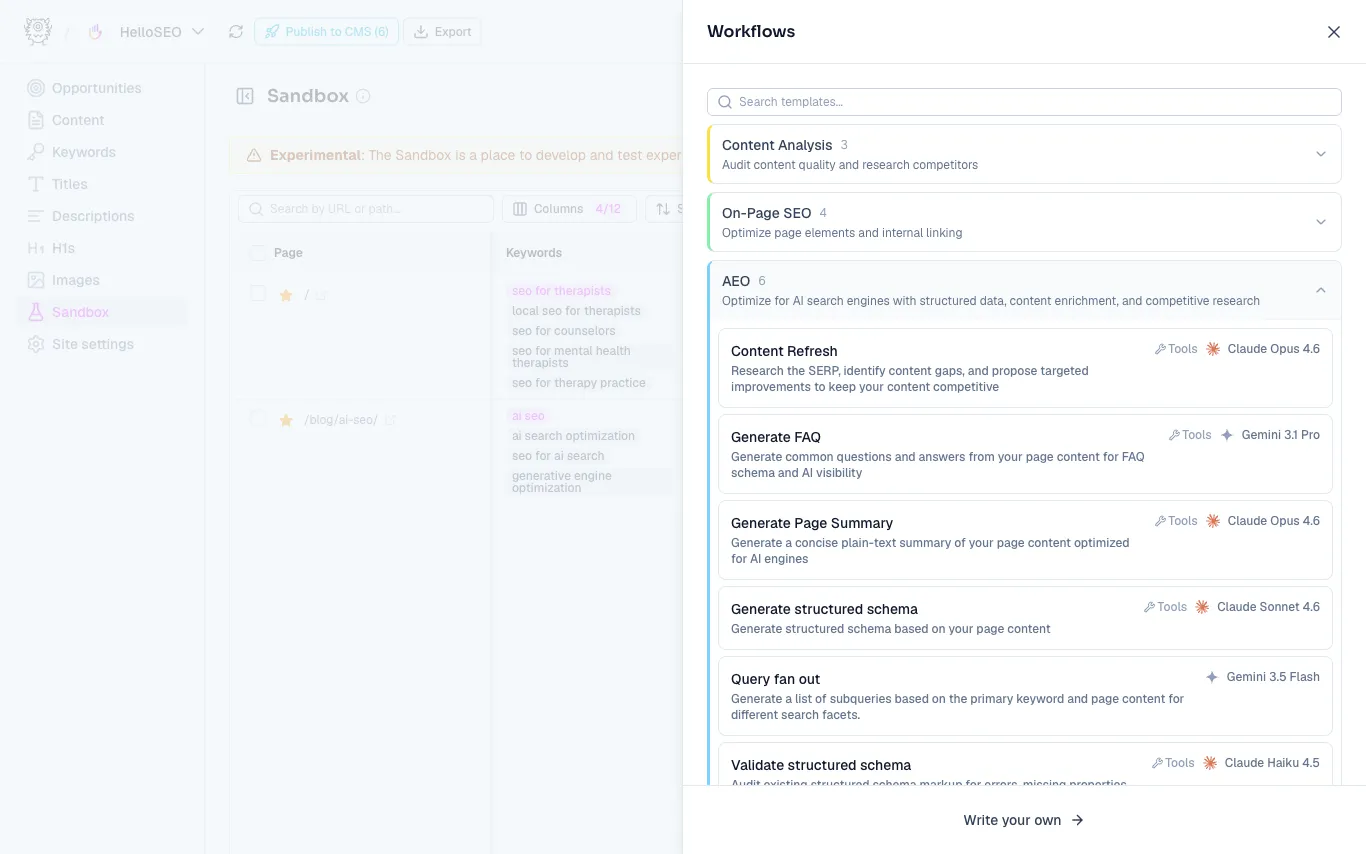
- Select the pages you want to run it on.
- Click Run.
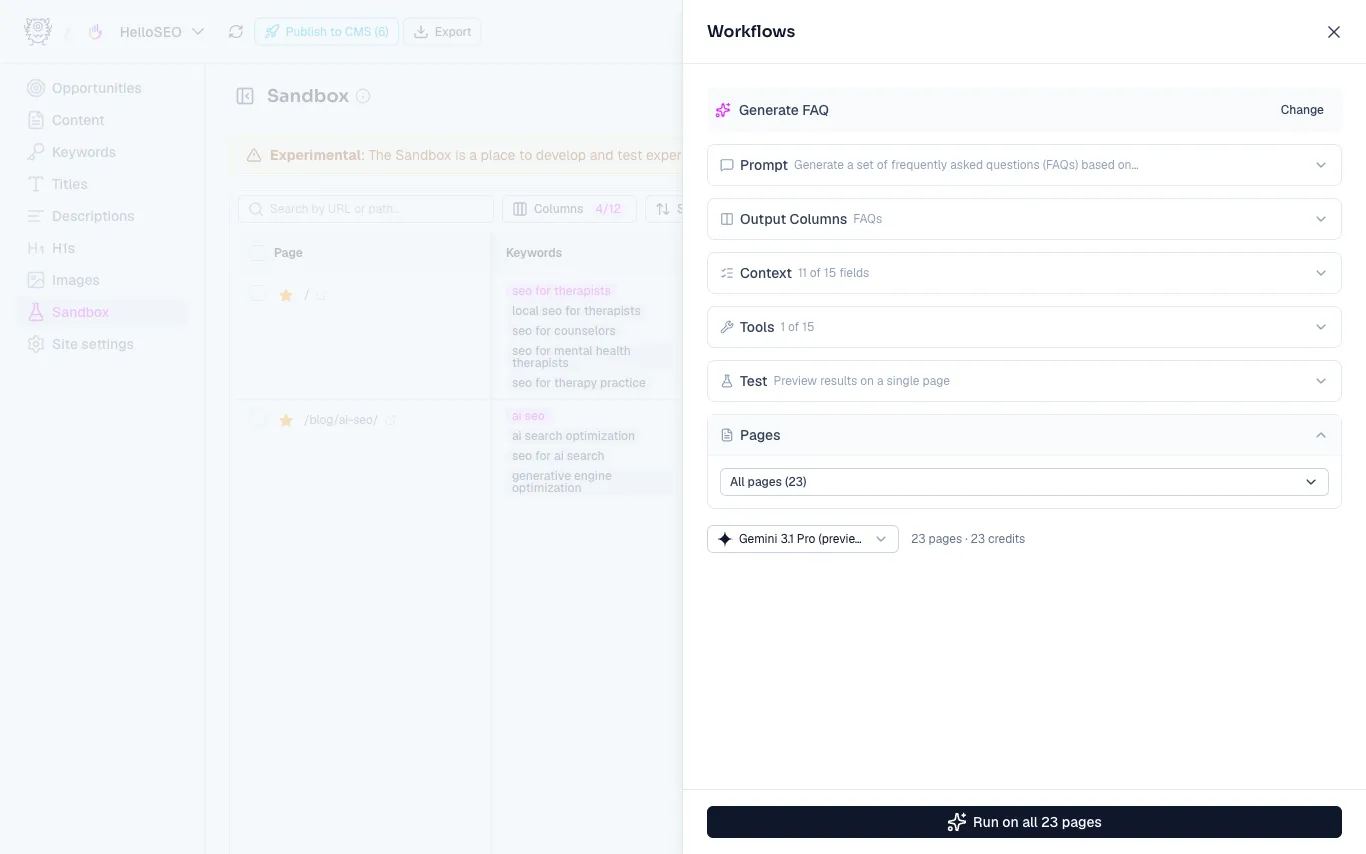
Results generate in the workflow’s output column. Once a workflow has run, find its output by scrolling to the right in the table. You can rerun the workflow or edit its prompt either by opening the output, or by clicking the sparkles icon.
Available workflows
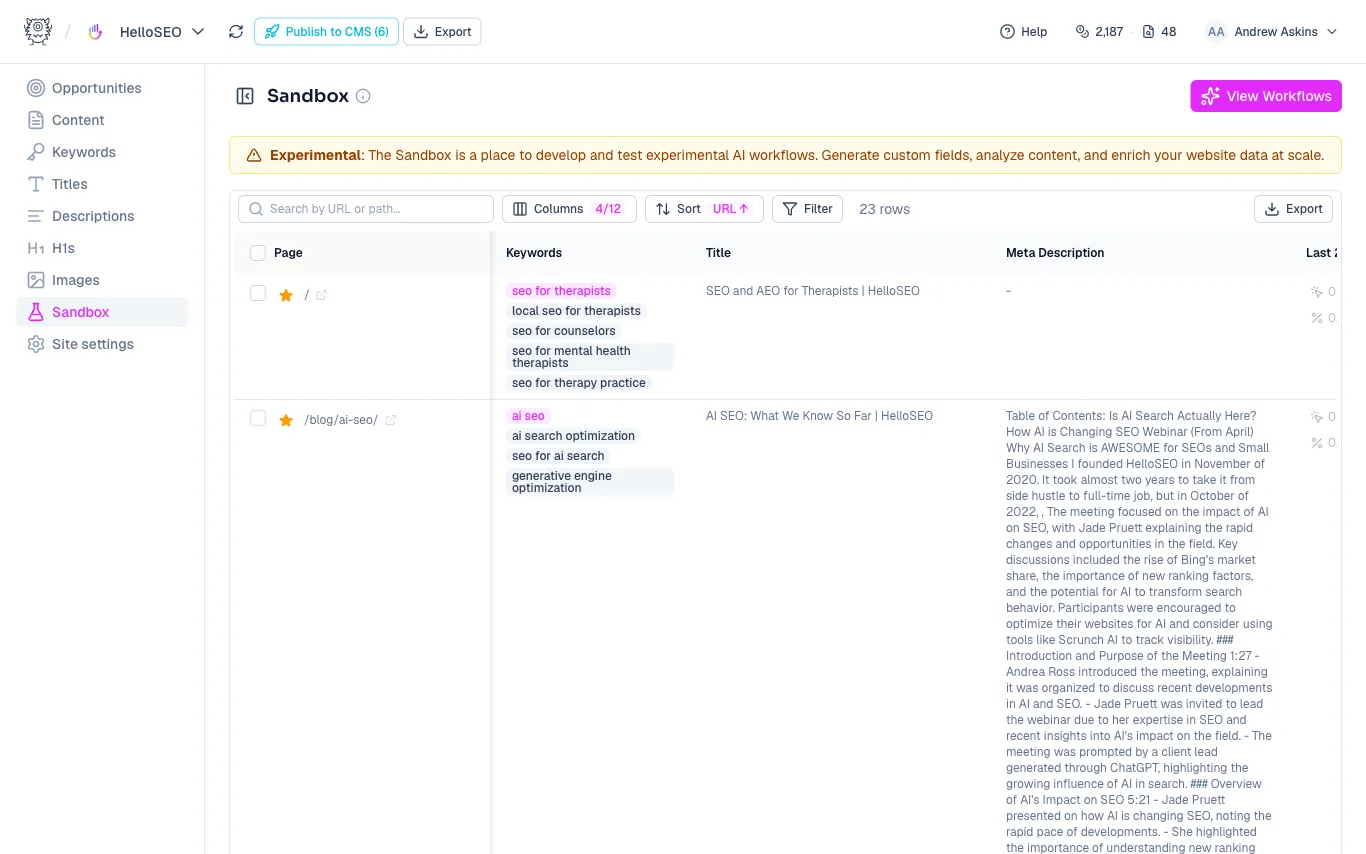
Workflows are grouped into three categories. Many use the special agent Tools we’ve built to extend what the model can do. Each workflow’s panel shows the model it runs on and the credit cost, and you can swap the model anytime (we’re always adding newer ones).
Content Analysis
Audit content quality and research competitors.
- Analyze SERP - Analyze the SERP for the primary keyword to identify content gaps and keyword opportunities.
- Find typos - Find any typos in the page content.
- SEO Optimization Grade - Perform a comprehensive analysis of the page content to determine how well optimized it is for search.
On-Page SEO
Optimize page elements and internal linking.
- Assign topic - Assign a topic for the page from a pre-defined list.
- Generate image alt text - Analyze the image alt text, page content, and primary keyword for issues, then generate optimized alt text.
- Internal link suggestions (Advanced) - Requires existing columns for primary keyword, secondary keyword, and topic.
- Internal link suggestions (Basic) - Analyze the page content and look for places to include internal links where primary keywords are naturally included.
AEO
Optimize for AI search engines with structured data, content enrichment, and competitive research.
- Content Refresh - Research the SERP, identify content gaps, and propose targeted improvements to keep your content competitive.
- Generate FAQ - Generate common questions and answers from your page content for FAQ schema and AI visibility.
- Generate Page Summary - Generate a concise plain-text summary of your page content optimized for AI engines.
- Generate structured schema - Generate structured schema based on your page content.
- Query fan out - Generate a list of subqueries based on the primary keyword and page content for different search facets.
- Validate structured schema - Audit existing structured schema markup for errors, missing properties, and opportunities to improve.
Need more help?
Can't find what you're looking for? Email us at support@metamonster.ai or chat with our team.