The Context Library
Manage everything the AI knows about the business in one place: brand voice, business context, and a library of verified facts with receipts, pulled from your site and your Google Business Profile.
AI-generated content is only as good as what the AI knows about the business. The Context page (in the sidebar, just above Site settings) is the library for all of it: the guidance that shapes how the AI writes, and a collection of verified business facts it treats as ground truth. When a draft states a phone number, quotes a testimonial, or name-drops a client, it comes from here instead of being invented.
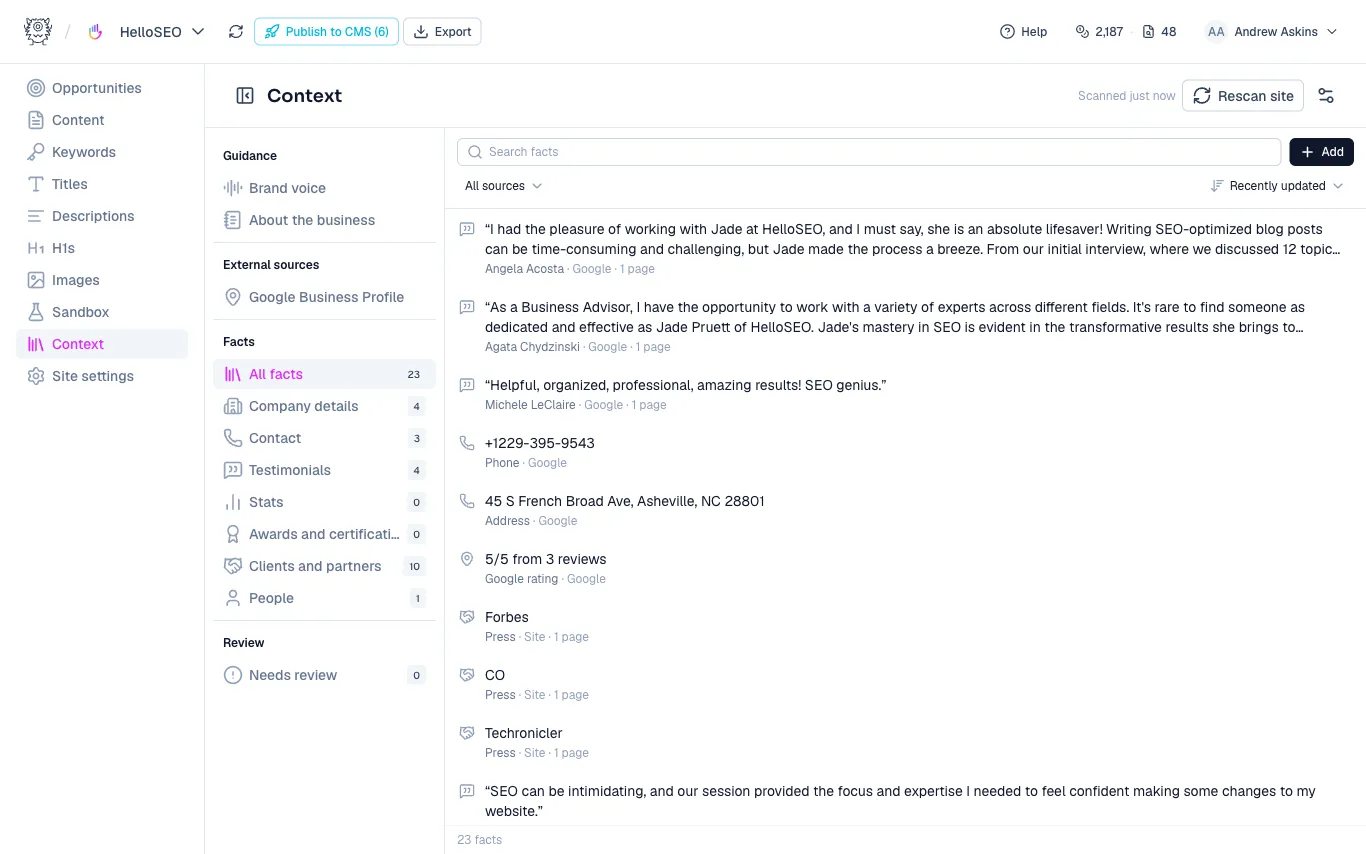
Guidance
The Guidance group holds the two documents that shape every generation prompt:
- Brand voice: how the AI should sound when it writes for this site. MetaMonster drafts this from your crawled content, and you can edit it anytime.
- About the business: what the business does, who it serves, and what makes it different.
Both are plain text editors. Save and Discard appear once you’ve changed something. If drafts keep coming out in the wrong register, this is the first place to look.
Facts
Facts are specific, checkable claims about the business: company details, contact info, testimonials, stats, awards, clients and partners, and people. They come from three sources, and each fact is labeled with its origin:
- Site: extracted from your crawled pages.
- Google: pulled from a domain-matched Google Business Profile, which appears under External sources with your listing, rating, and reviews.
- By hand: added by you through the Add button, which offers each fact kind.
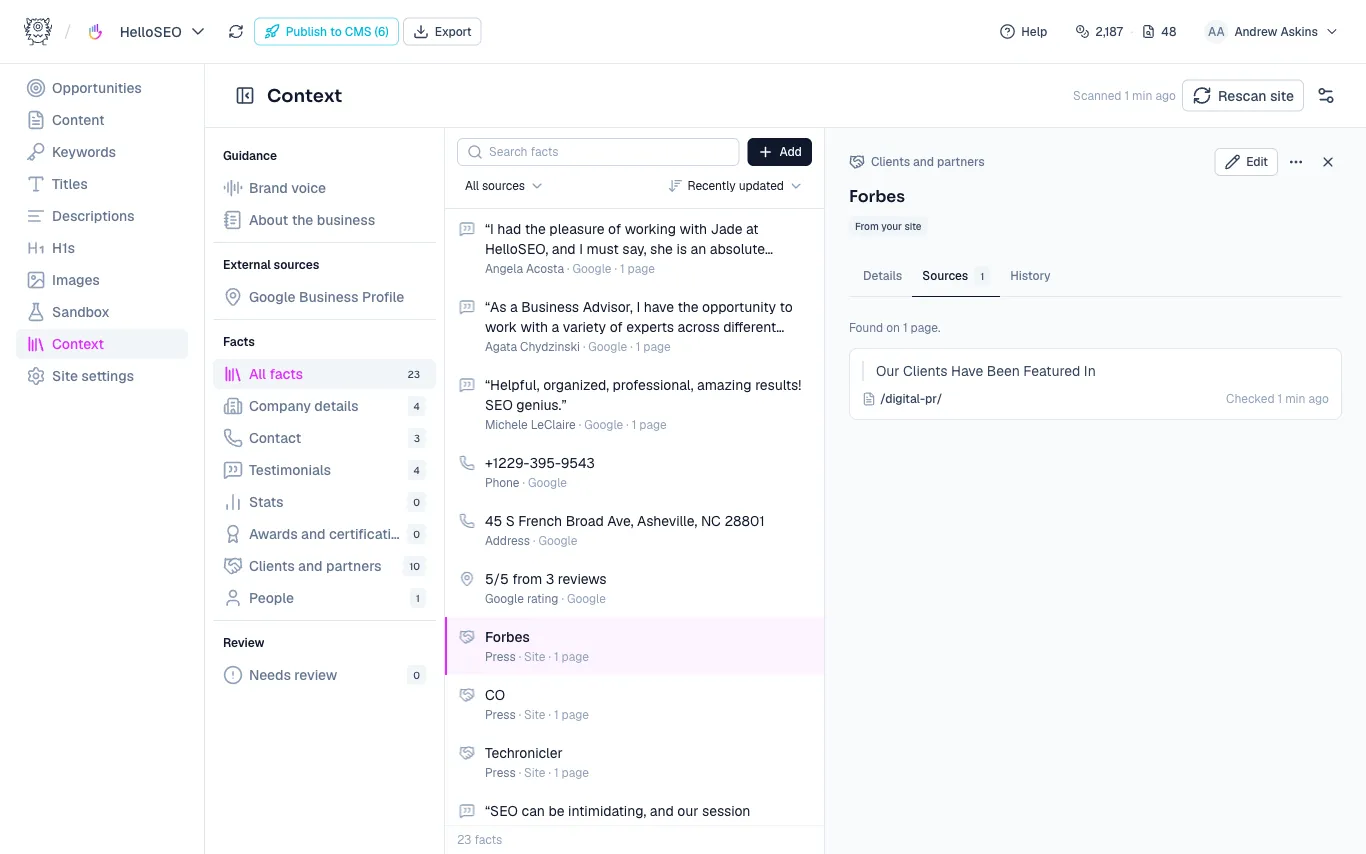
The rail groups facts by kind with counts, and the list has search, a source filter, and sorting. Click a fact to open its detail pane:
- Details shows the fact’s fields.
- Sources shows the receipts: the exact quoted text each fact was extracted from, with the page it was found on and when it was last checked. A fact that appears on many pages groups identical quotes into one card.
- History is a timeline of the fact’s life: when it was added, found on more pages, edited, or stopped appearing.
Editing a fact marks it as yours, so a later scan won’t overwrite it.
Rescanning and review
Click Rescan site in the header to re-extract facts from your pages, for example after publishing new testimonials or updating your about page. The gear button next to it opens the extraction settings if you want to tune what the scanner looks for.
When a scan can’t find a fact that used to be on the site, the fact goes stale: it gets a “Not found” badge and lands in Needs review. Open it and either confirm it’s Still true or Delete it. A stale fact is never used in generation, so it’s worth clearing the review queue before a big content push.
Why this matters
Specific claims are where AI content usually goes wrong. The library gives the generator a vetted set to draw from, and gives you one place to check a claim’s receipt before it ships. If you’re writing through the API, the same facts are readable and writable programmatically, so your agent can reuse them too.
Need more help?
Can't find what you're looking for? Email us at support@metamonster.ai or chat with our team.