Credits and Usage
How MetaMonster credits work: what AI generation costs, what the page-analysis allowance covers, where to track usage, and what happens when you run low.
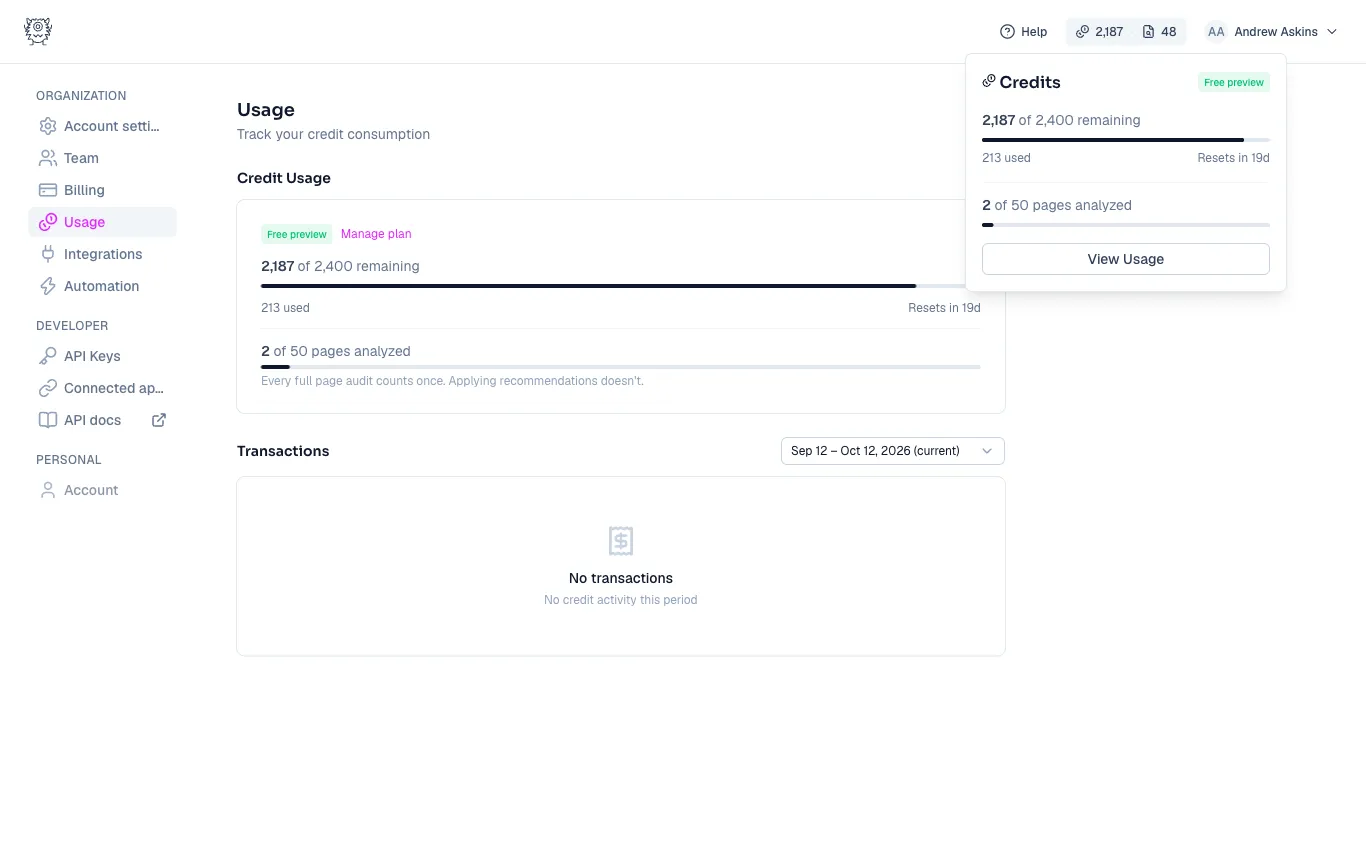
Your plan includes two allowances each billing period: credits, which pay for AI generation, and a number of pages analyzed, which covers full page audits. Both live in the chip at the top right of the app. The first number is credits remaining, the second is page analyses remaining, and clicking the chip shows the details.
What credits pay for
Every AI generation spends credits: keywords, titles, meta descriptions, H1s, image alt text, content drafts, and sandbox workflows. The cost is simple math: the number of pages times the model’s per-page cost. Most models cost 1 credit per page, and more powerful models cost more. The model picker shows each model’s cost, and some models need a higher plan tier.
You always see the cost before you run anything. Every generate card and workflow shows it up front, like “23 pages × 1 credit per page = 23 credits.” Nothing spends credits without showing you the price first.
What “pages analyzed” covers
A page analysis is the full audit: the SERP research, the rubric grading, and the recommendations. Each page you analyze counts once against your allowance. Applying recommendations, generating drafts, or rerunning parts of the workflow doesn’t count again; only a full page audit does.
Tracking usage
Go to Settings → Usage for the full picture: your credit balance for the period, how many credits you’ve used, your pages analyzed, and a transaction history you can browse period by period.
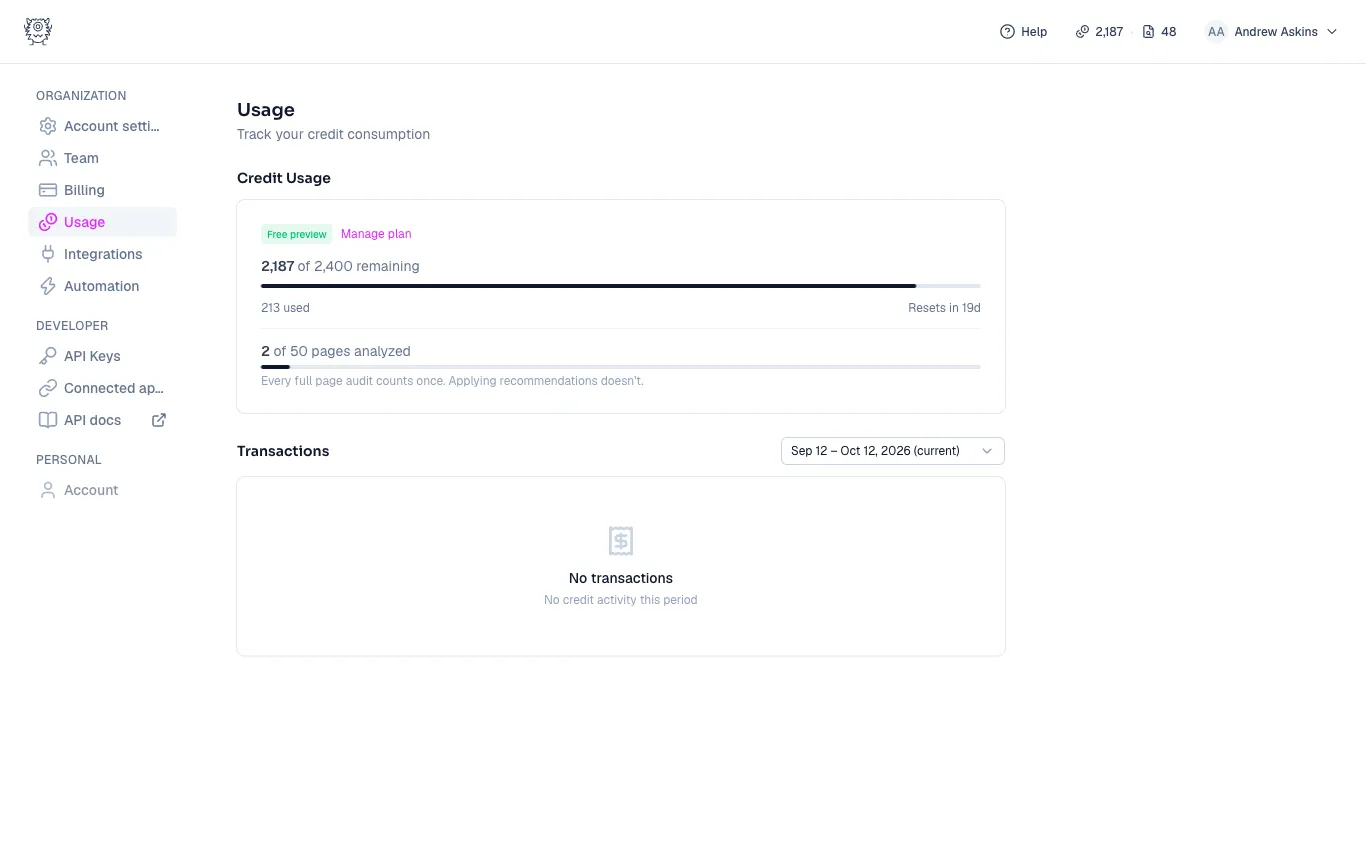
Credits reset with your billing period (the popover shows when). If your plan includes credit rollover, unused credits carry into the next period instead of expiring.
Running low or running out
If a run would cost more credits than you have, MetaMonster blocks it before it starts and tells you what it needs, so you never end up with a half-finished run. From there you can upgrade your plan, wait for the period to reset, or scope the run down (fewer pages, or a cheaper model).
Your plan’s monthly credits and pages are granted as soon as you subscribe.
Making credits go further
- Generate for priority pages instead of all pages. Most of your traffic comes from a fraction of your pages anyway.
- Use the test panel in the sandbox to try a workflow on one page before running it on two hundred.
- Match the model to the job. Bulk metadata doesn’t need the most expensive model; save that for the work that shows.
Need more help?
Can't find what you're looking for? Email us at support@metamonster.ai or chat with our team.